Chrome Web Store reviewer guide
Web2CSV
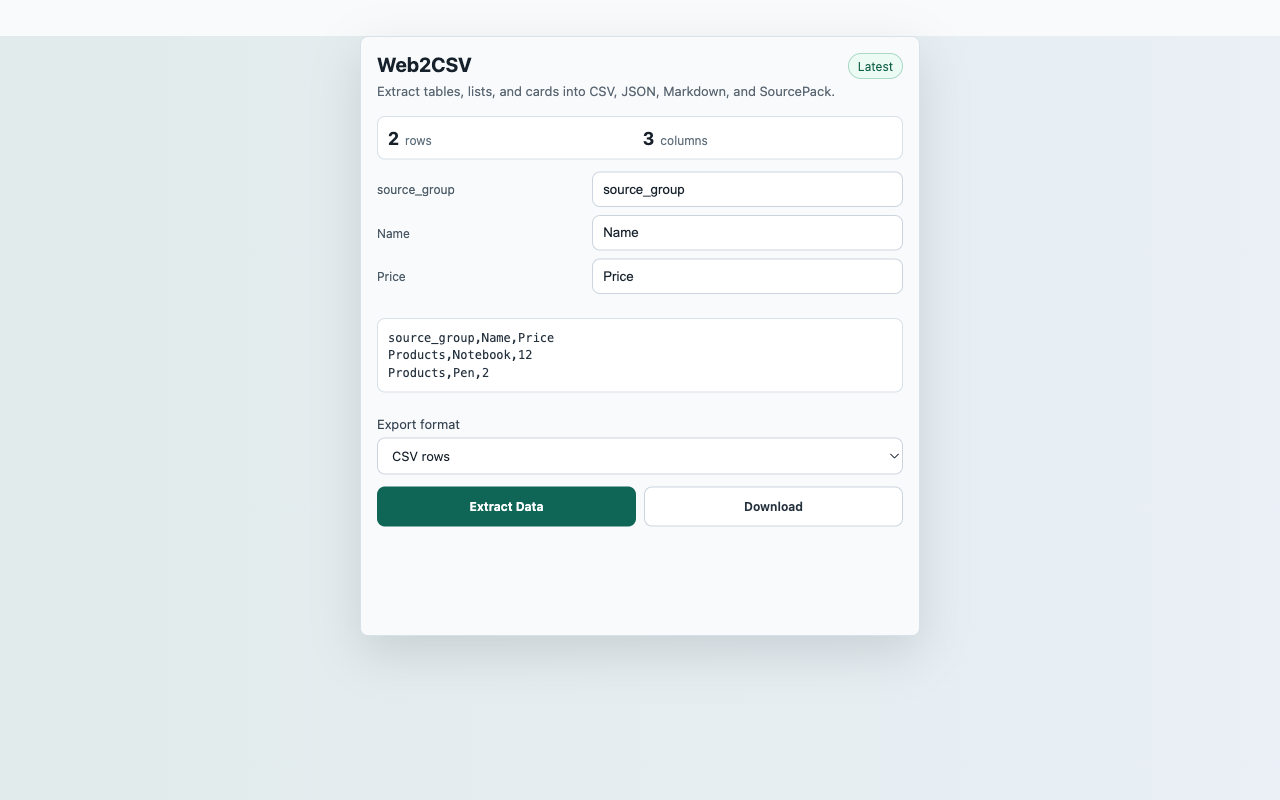
Extract tables, lists, and repeated cards into CSV, JSON, Markdown, and SourcePack.
Reproducible Test Steps
- Open a web page with an HTML table or repeated list/card layout.
- Click the Web2CSV toolbar action and choose Extract Data.
- Rename a detected column in the preview.
- Download CSV, JSON, Markdown, or SourcePack JSON.
- Try a normal text-only page and confirm the no-data state disables export.
Expected Result
- The popup shows detected rows and columns before export.
- Renamed columns appear in the CSV preview.
- No persistent host permission is requested.
CredentialsNo SourcePack account, API key, backend, or third-party sign-in is required.
User actionCapture starts only after the reviewer clicks Extract Data.
Data locationRecent captures in chrome.storage.local
Network postureNo captured page, chat, repo, transcript, table, or competitor content is uploaded to a SourcePack server.